


Working with AI means providing text. Lots of it. Prompts, instructions, context. On mobile, that means typing on a 6-inch screen with your thumbs.
Voice input isn’t new. Millions already dictate on their phone or computer. What’s new is AI-powered voice keyboards that don’t just transcribe your speech, they rewrite it. Some are making a radical bet: the QWERTY keyboard can go.
Four questions AI voice keyboards are answering
Gboard (Google Pixel’s preloaded keyboard), Wispr Flow, Typeless, and Monologue are four products answering the same design challenge differently.
What does the keyboard look like? How much of QWERTY stays?
How much should the AI change what users said? Raw transcript, or AI-polished output?
Should users see words as they speak? Real-time streaming, or nothing until the AI is done?
How do users fix what went wrong? Can users correct by voice, or do they need to do it manually?
1. What does the keyboard look like?
The keyboard is disappearing in stages.
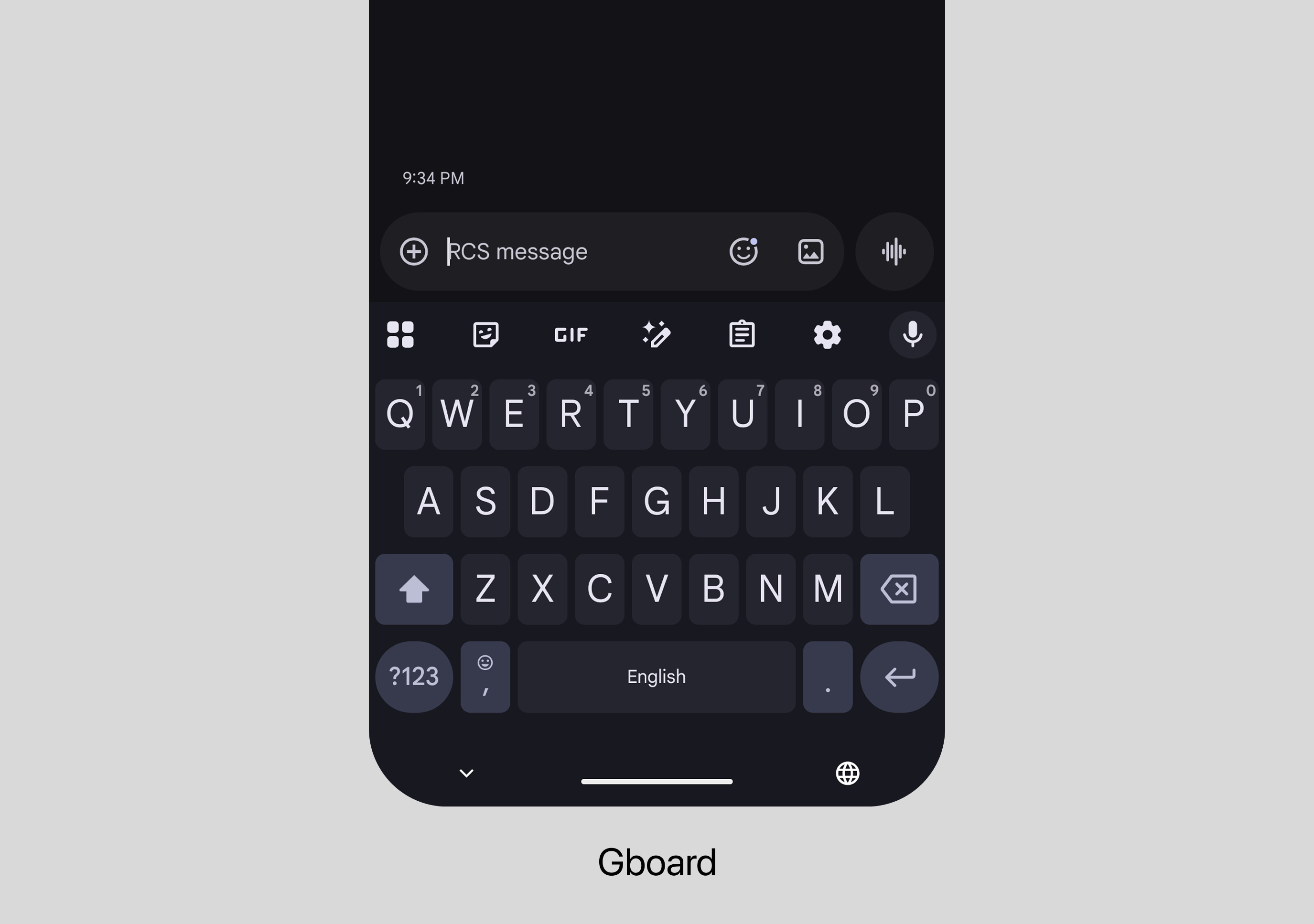
Gboard keeps full QWERTY. The mic icon sits in the top-right corner. Users can collapse the keyboard into a floating pill toolbar. Voice is an addition to the keyboard.
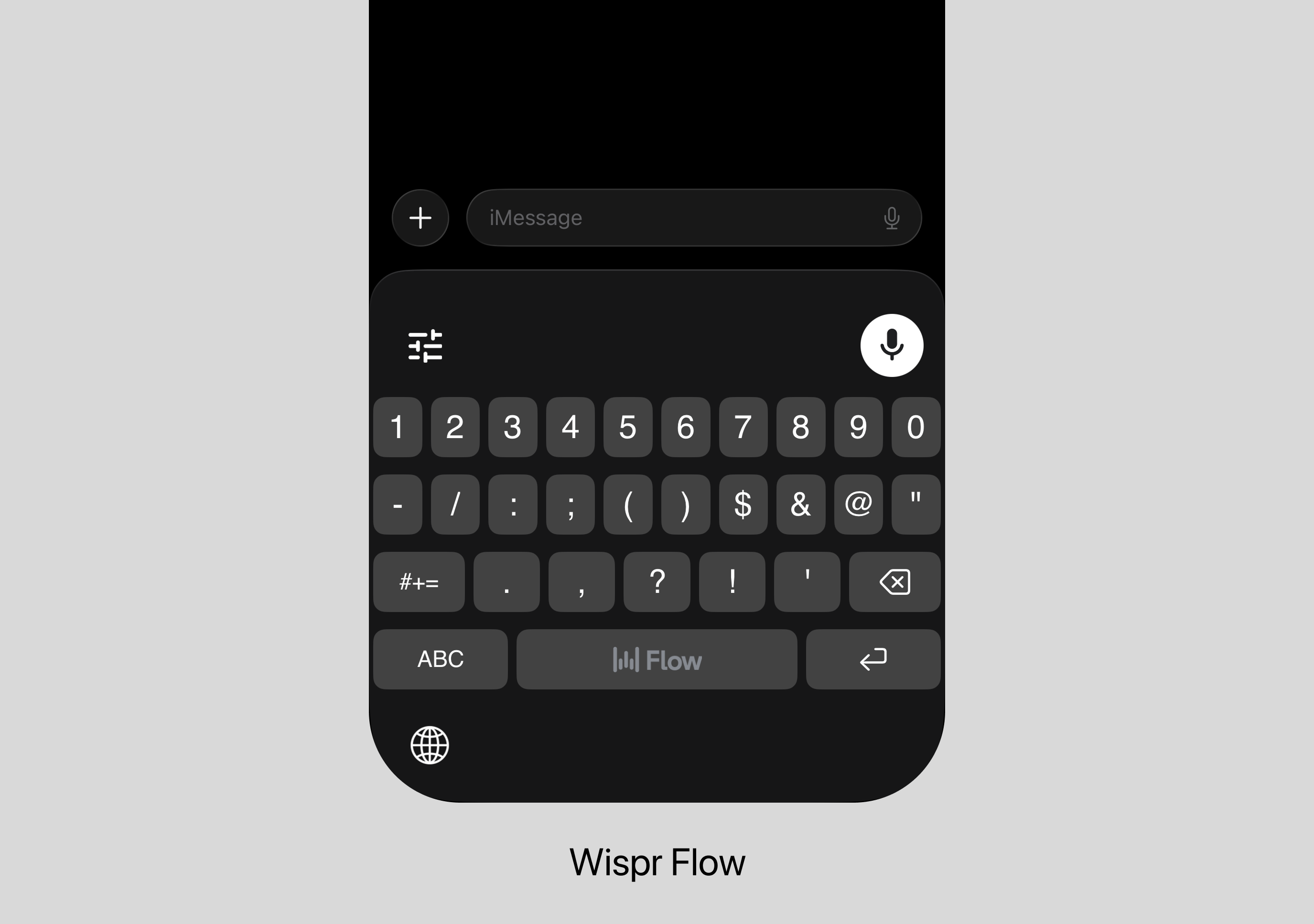
Wispr Flow removes the alphabet. What remains: a full-size number and special character keyboard.
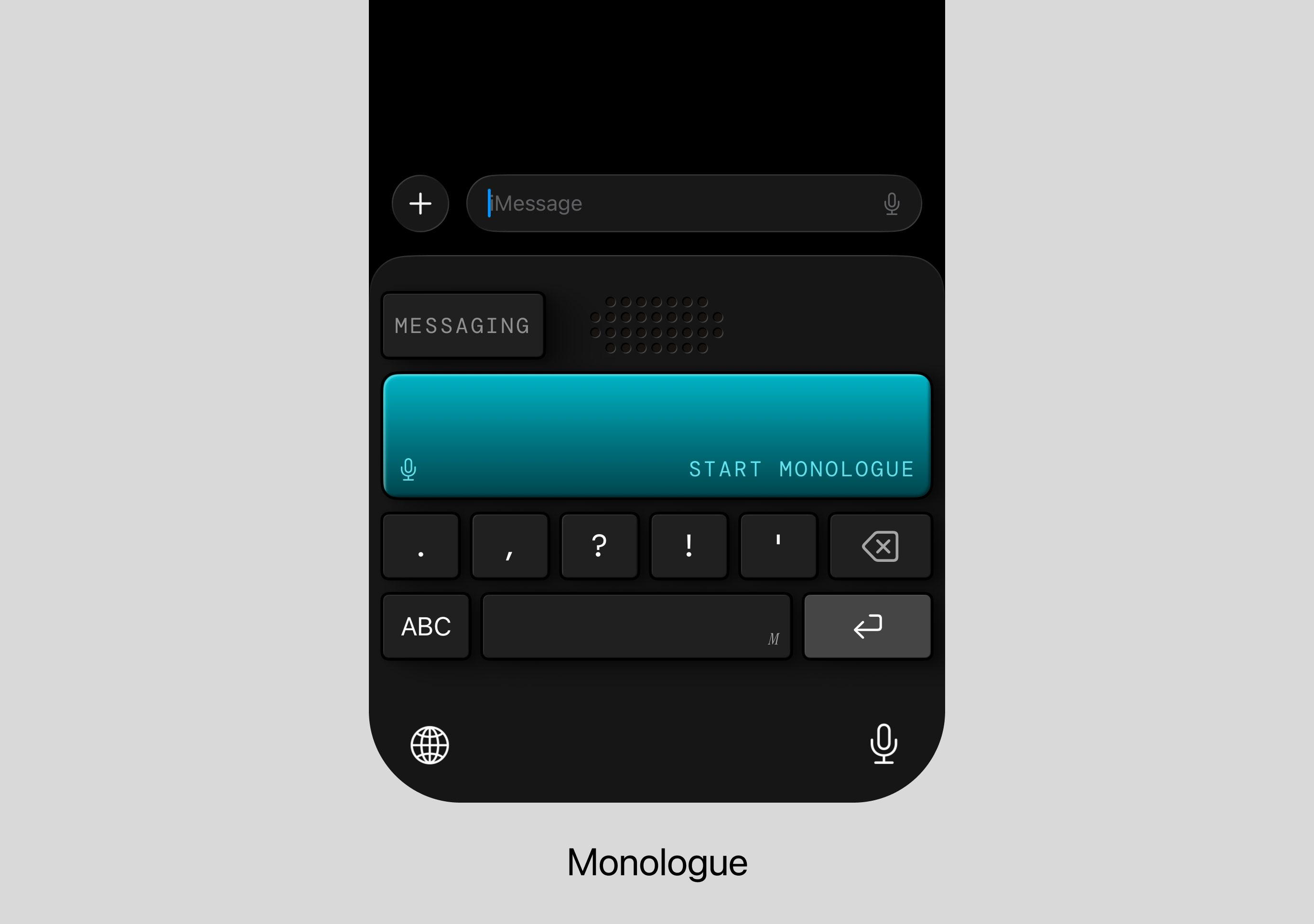
Monologue strips further. Just punctuation keys (. , ? ! ‘), delete, enter, space, and a big record button. A QWERTY toggle exists as an escape hatch.
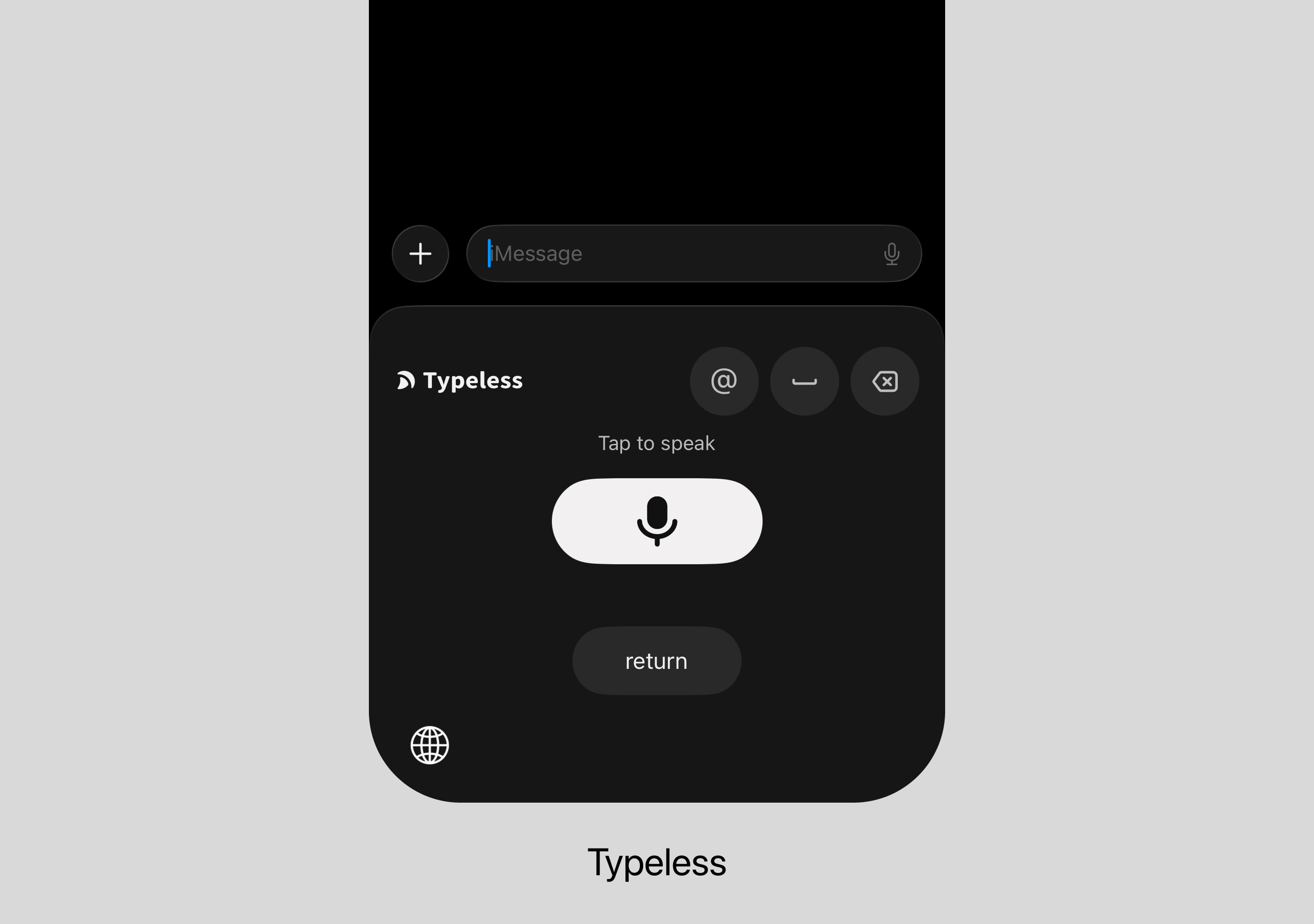
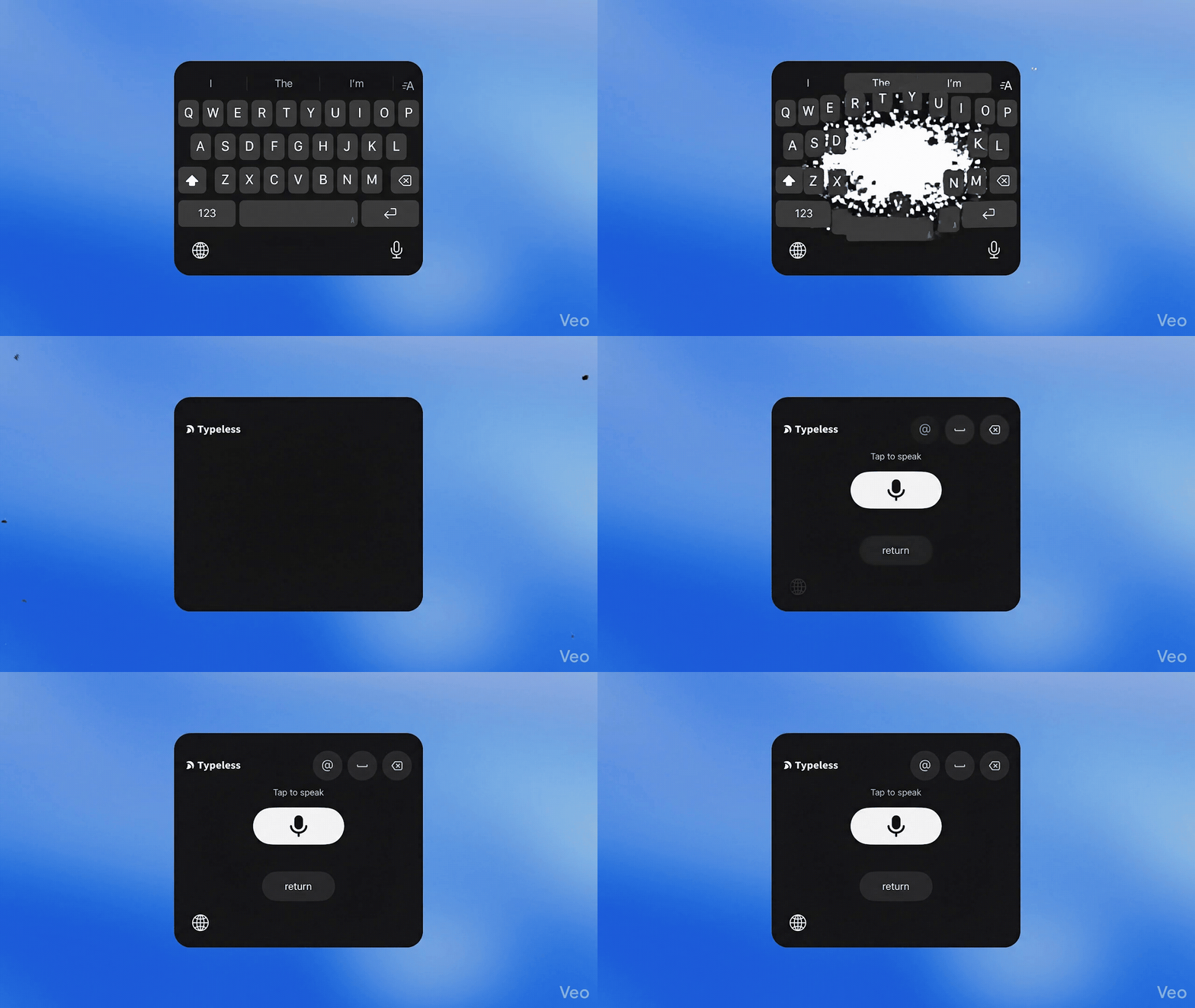
Typeless goes furthest. A large mic icon, @, spacebar, delete, and return. To type anything, switch to a different keyboard entirely.
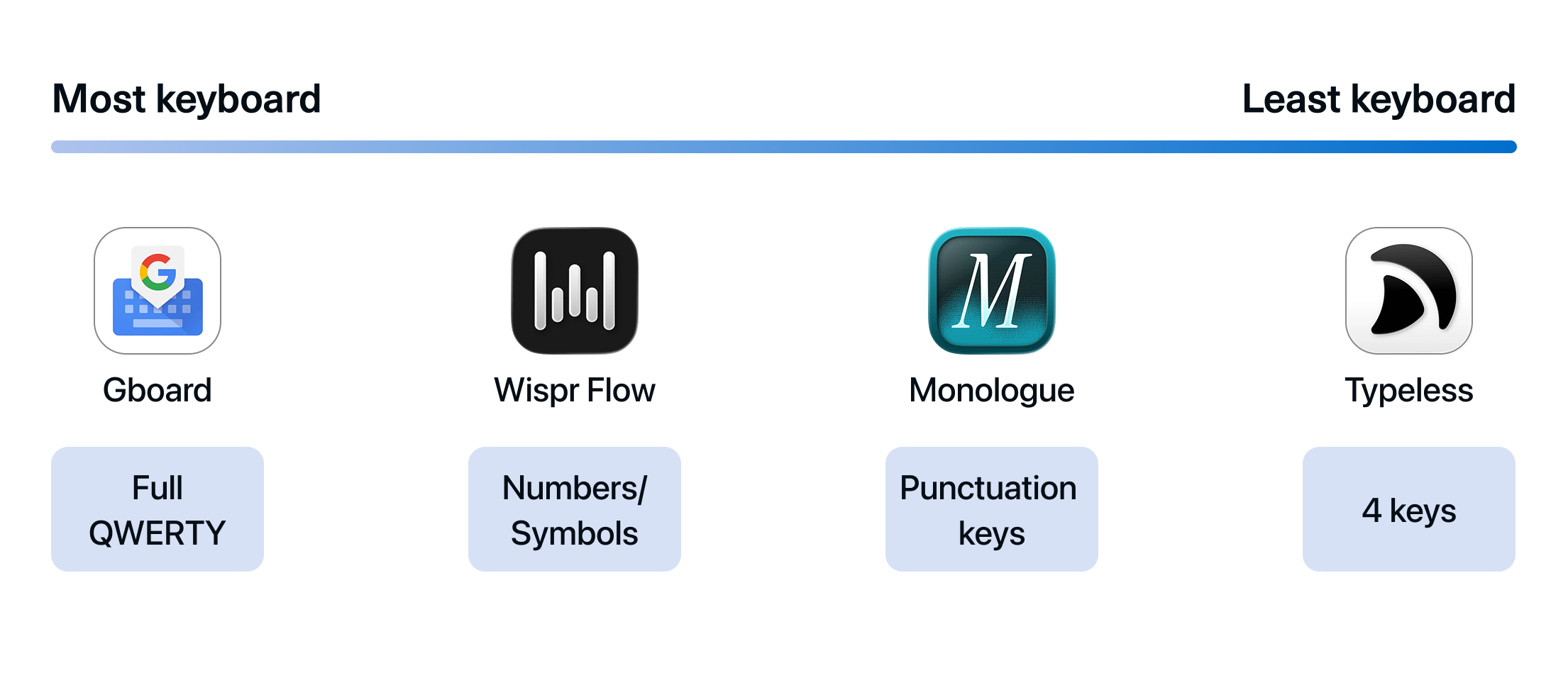
Verdict 👉 The less keyboard they keep, the more they bet that voice and AI can handle what used to require tapping keys.
2. How much should the AI change what users said?
When users say “I think, um, the meeting is on Tuesday, no, wait, Wednesday at 2 PM” into each product, the outputs diverge.
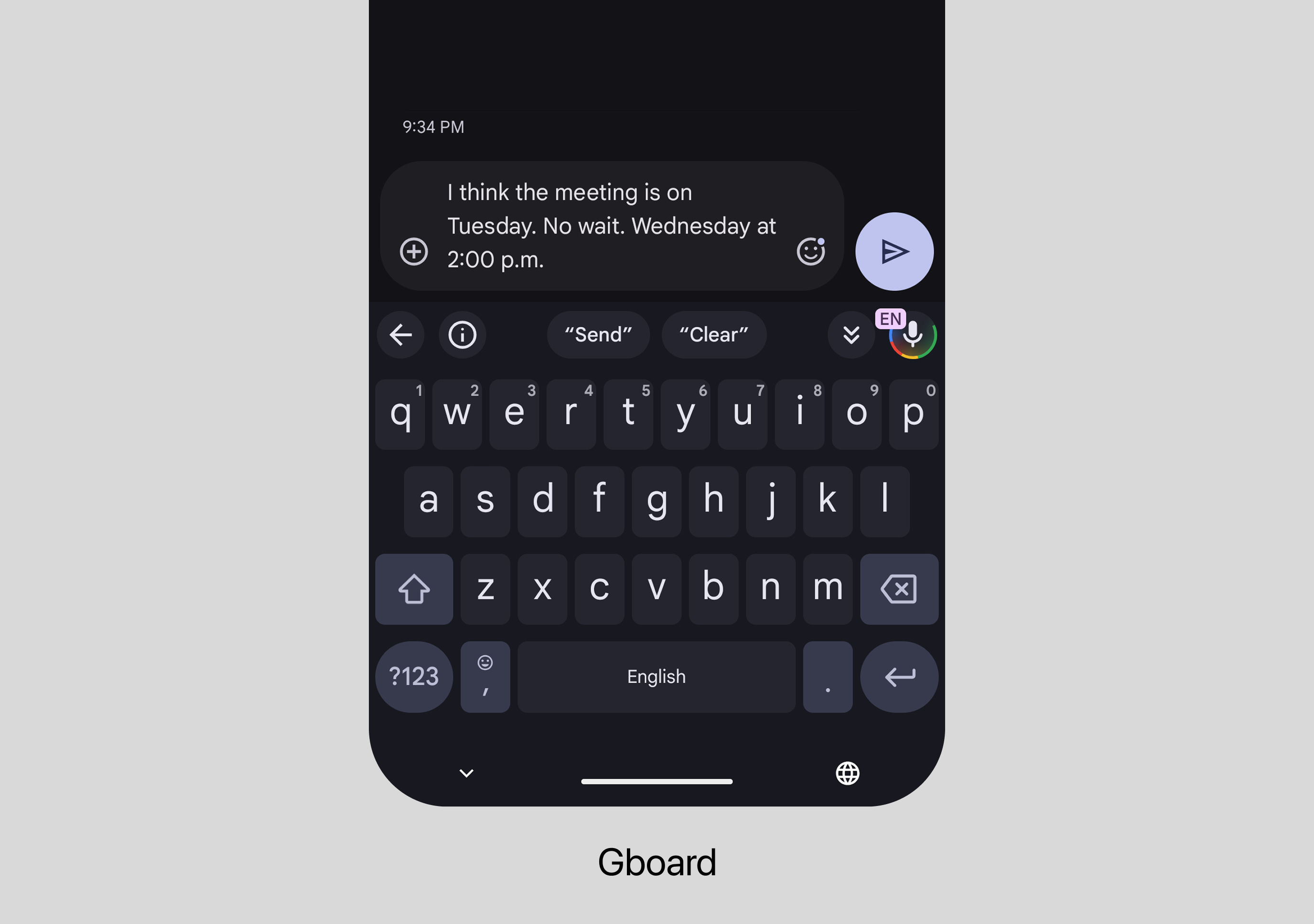
Gboard outputs: “I think the meeting is on Tuesday. No wait, Wednesday at 2 p.m.” Fillers are removed. Punctuation is added. But self-corrections stay. Want AI to clean it up further? Tap the icon after dictating. AI intervenes only when invited.
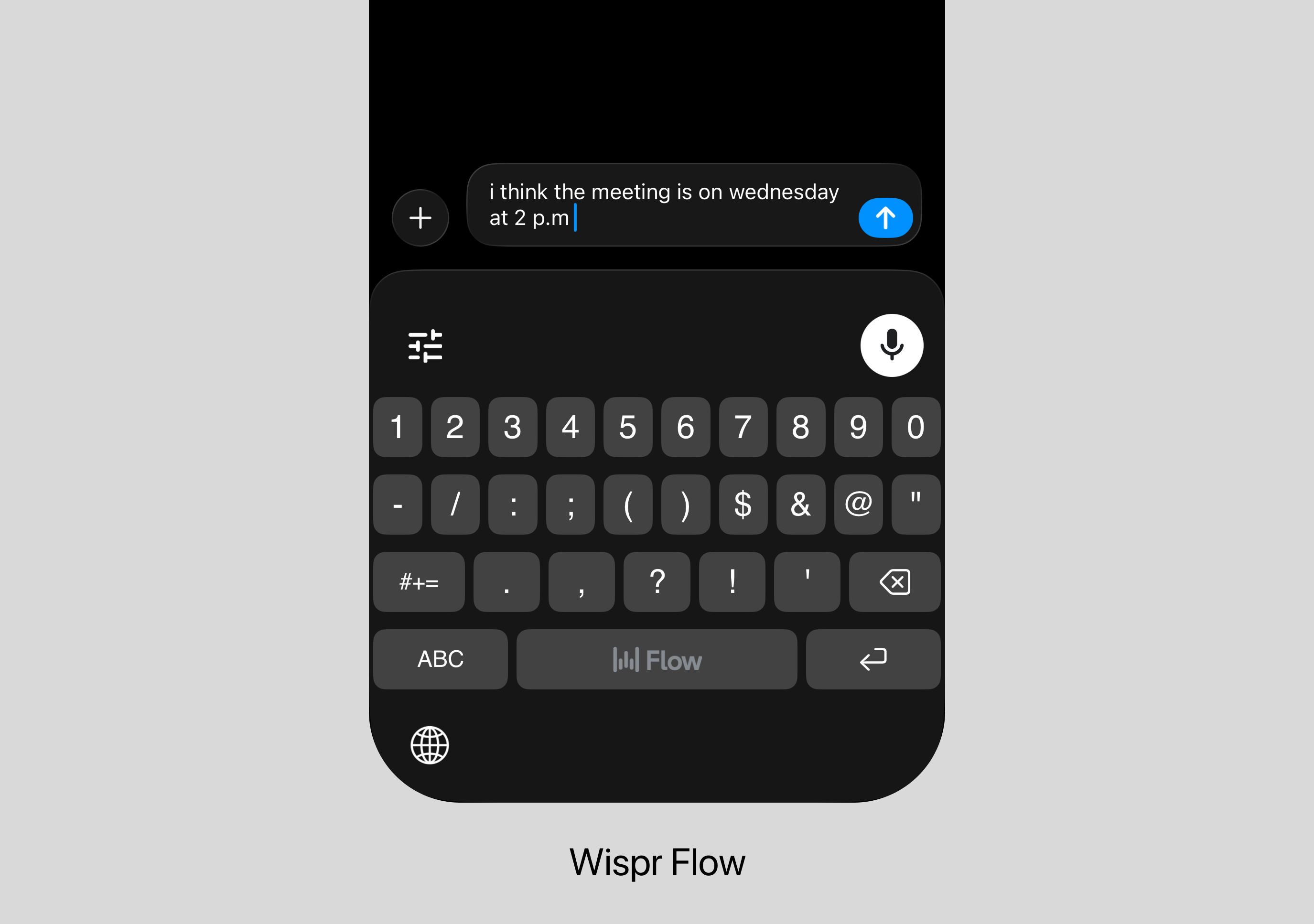
Wispr Flow outputs: “i think the meeting is on wednesday at 2 p.m” Fillers gone. Self-correction gone. But “I think” is preserved because they said it. Of the three ghostwriters, Wispr Flow edits the least.
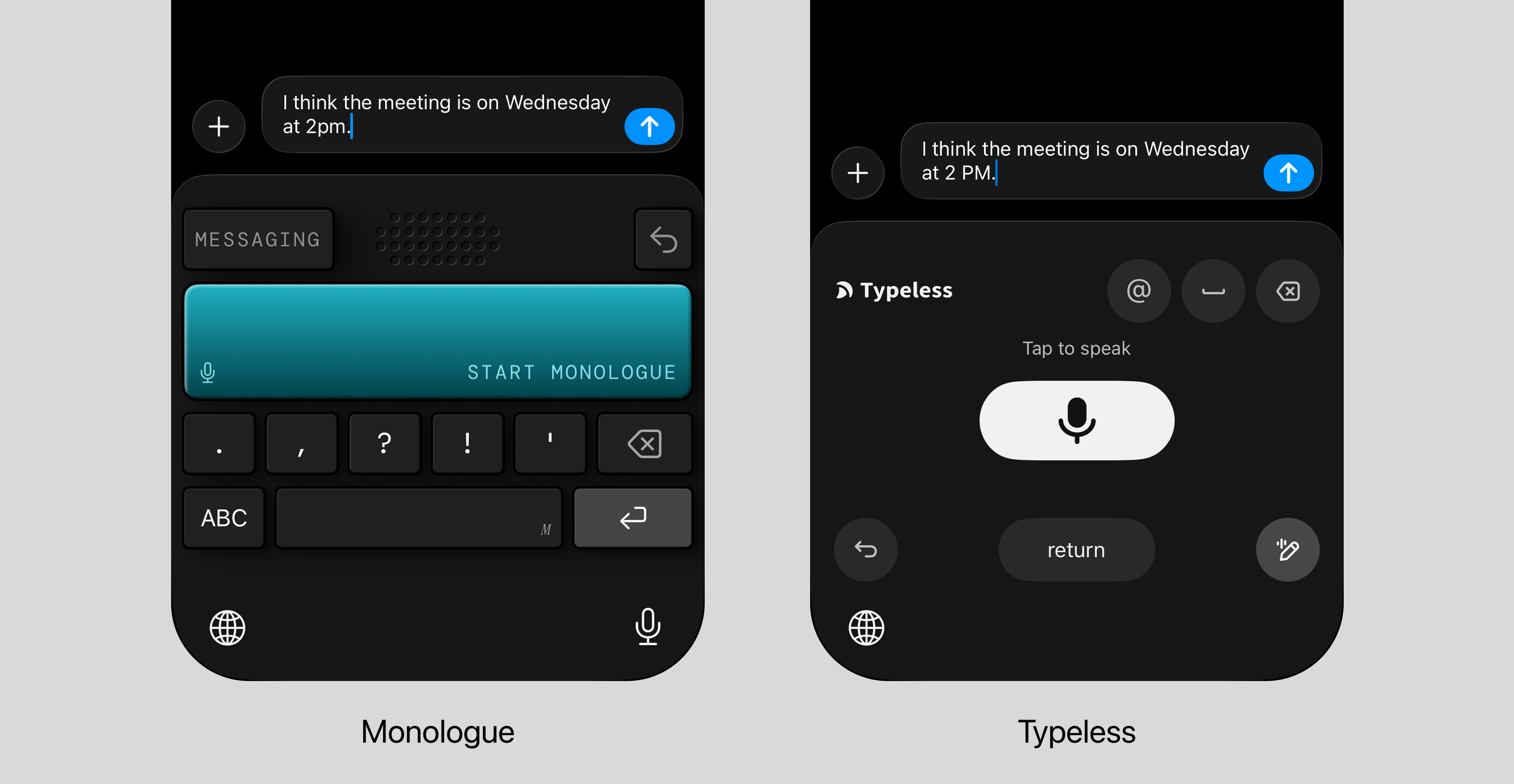
Monologue, Typeless usually output: “I think the meeting is on Wednesday at 2 PM.” But sometimes they go further, dropping “I think” entirely: “The meeting is on Wednesday 2pm.” When it kicks in, it’s not cleaning up. It’s rewriting.
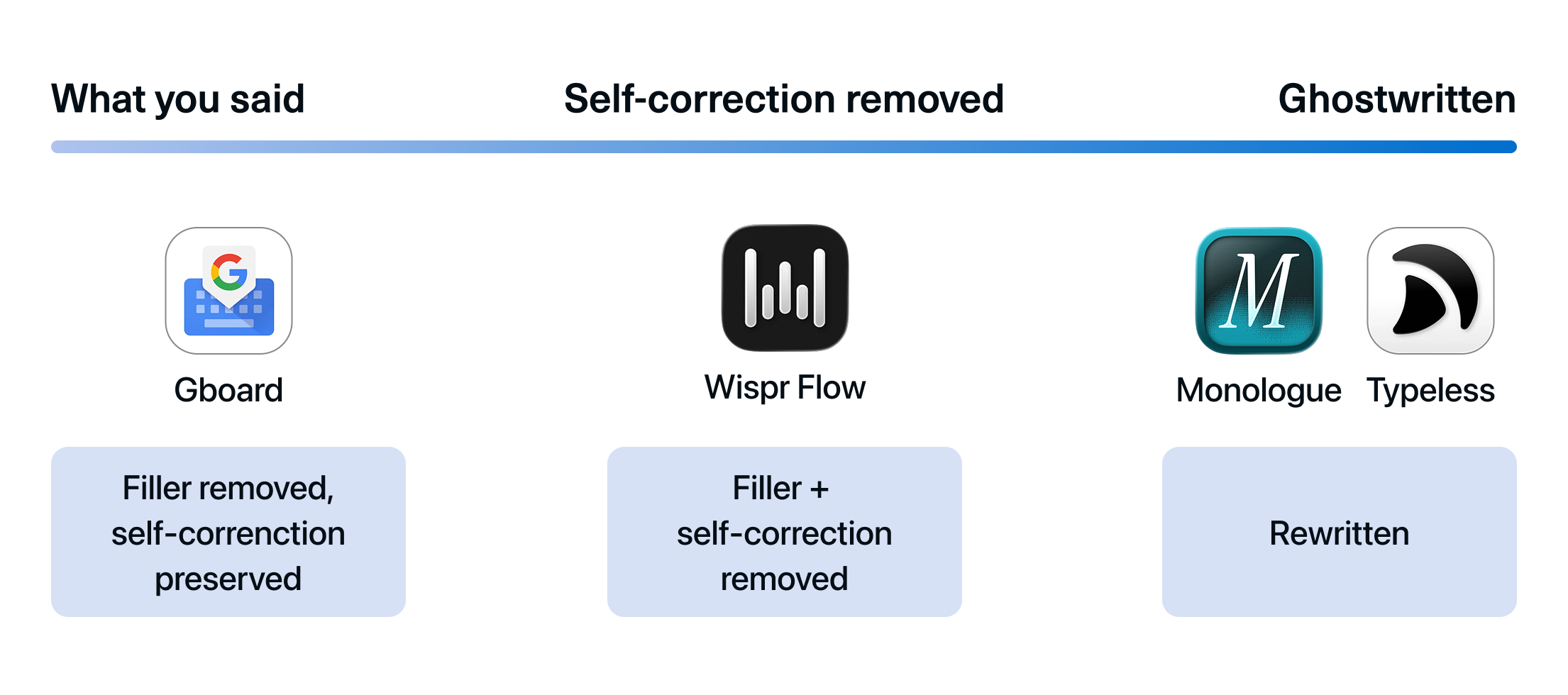
Verdict 👉 Same speech in, different texts out: from near-verbatim transcript to full ghostwrite.
What the AI reads beyond your words
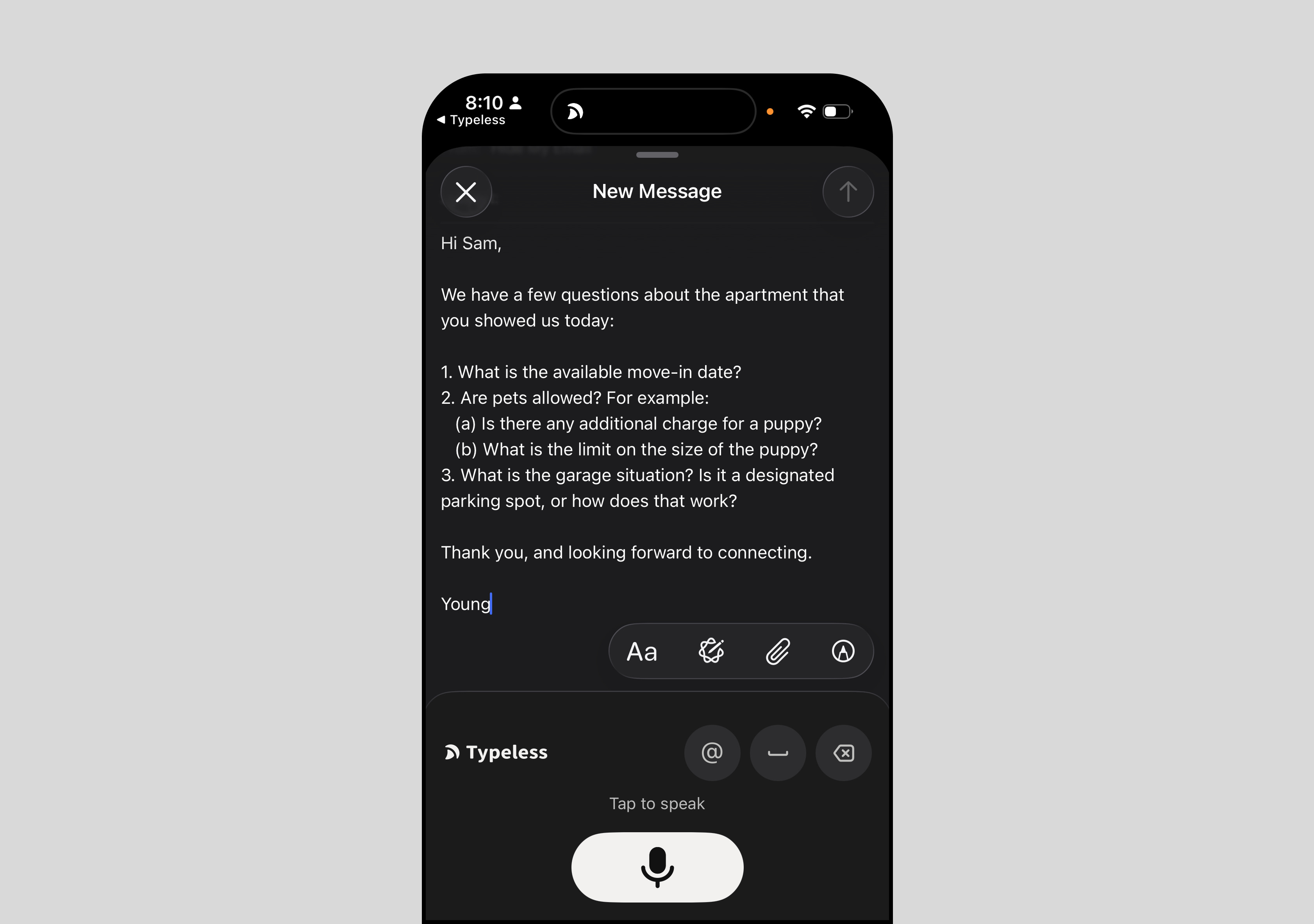
All three ghostwriters share a baseline that goes beyond rewriting. They adapt tone to the app (casual in message, formal in email).
3. Should users see words as they speak?
What users see while they speak also differs.
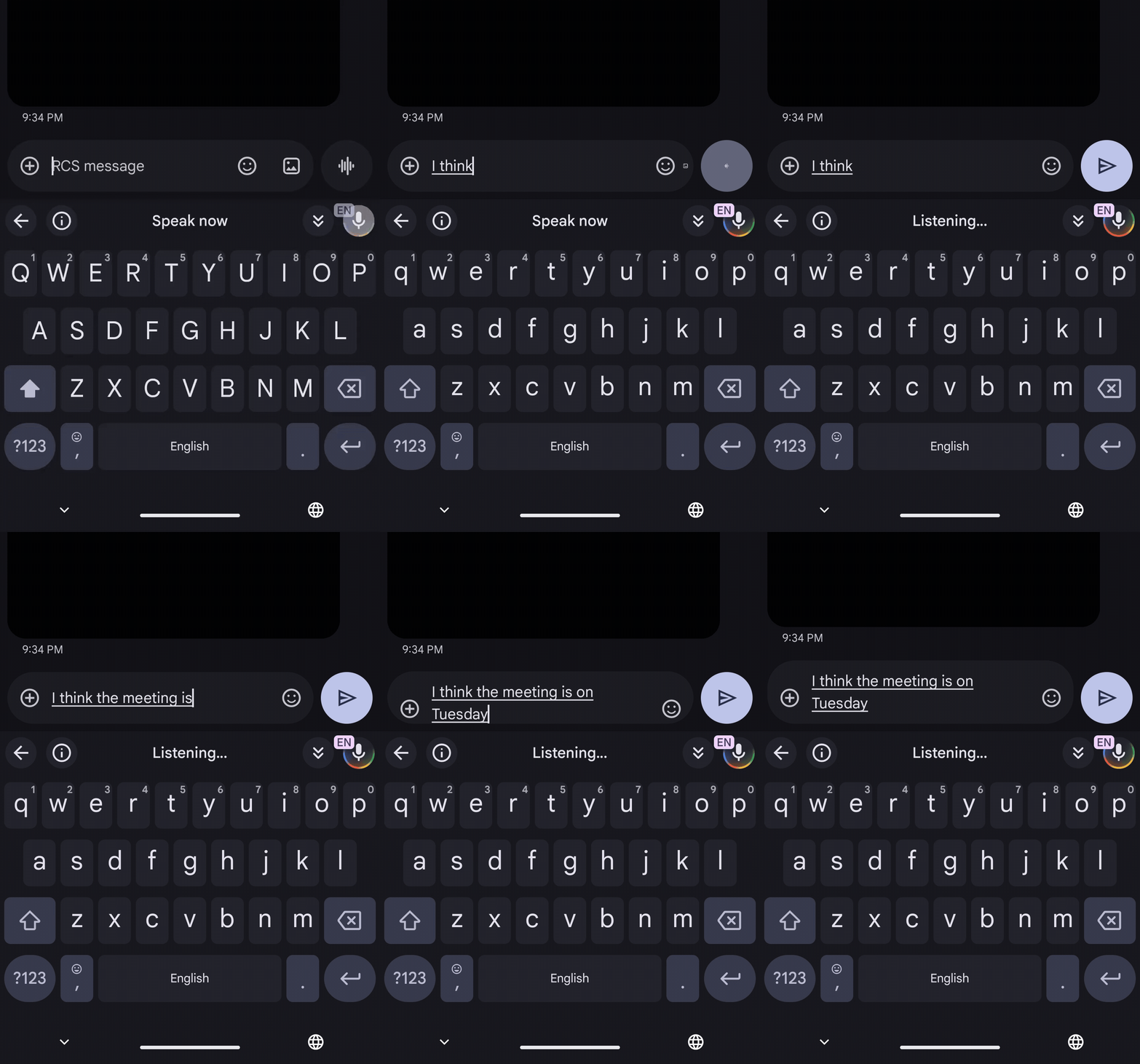
Gboard streams words in real time, word by word. Users watch text form as they speak. This works because Gboard barely changes the words.
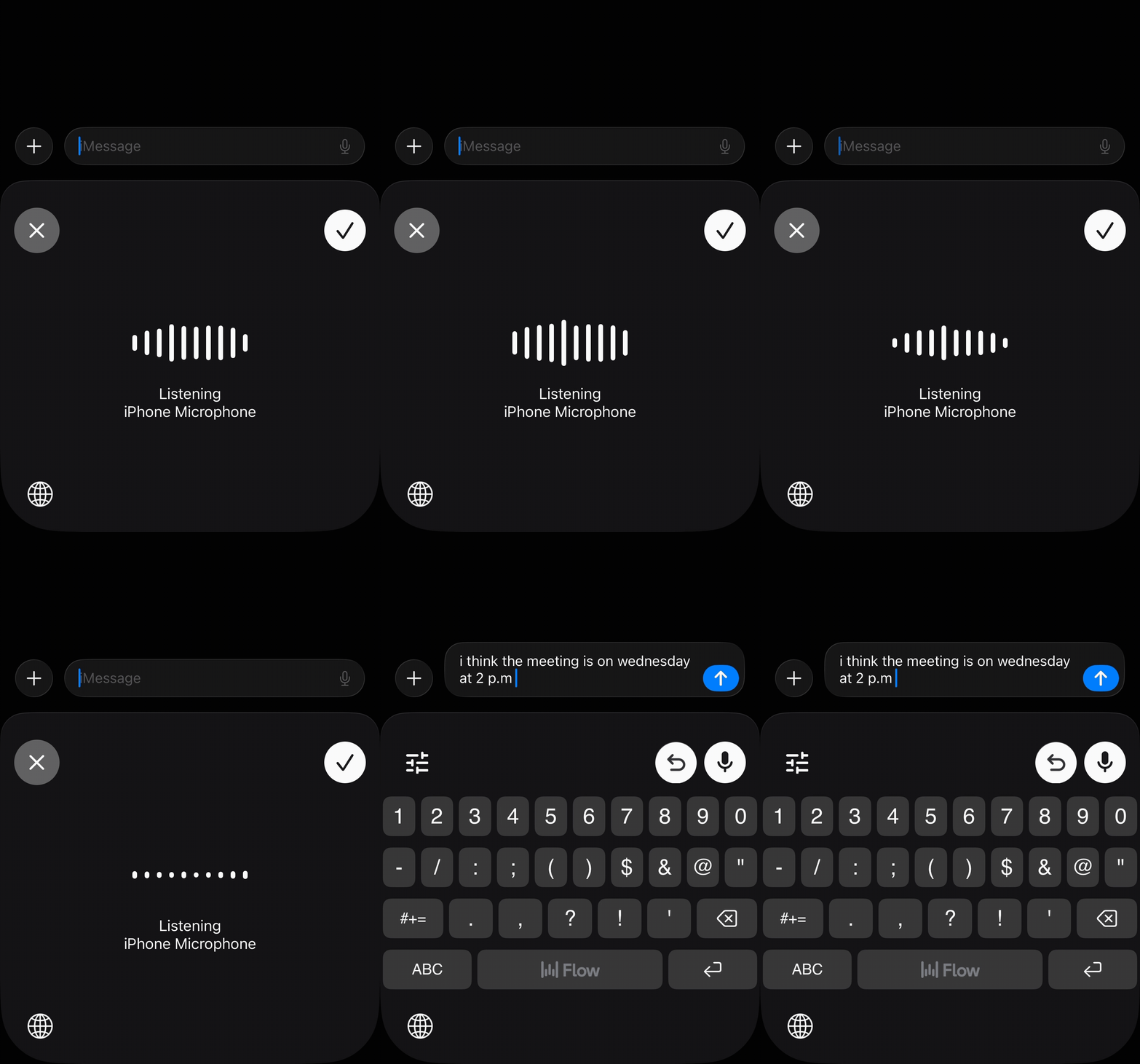
Wispr Flow, Typeless, and Monologue show nothing until the user stops. A waveform. A button sound. But no text for 1-2 seconds.
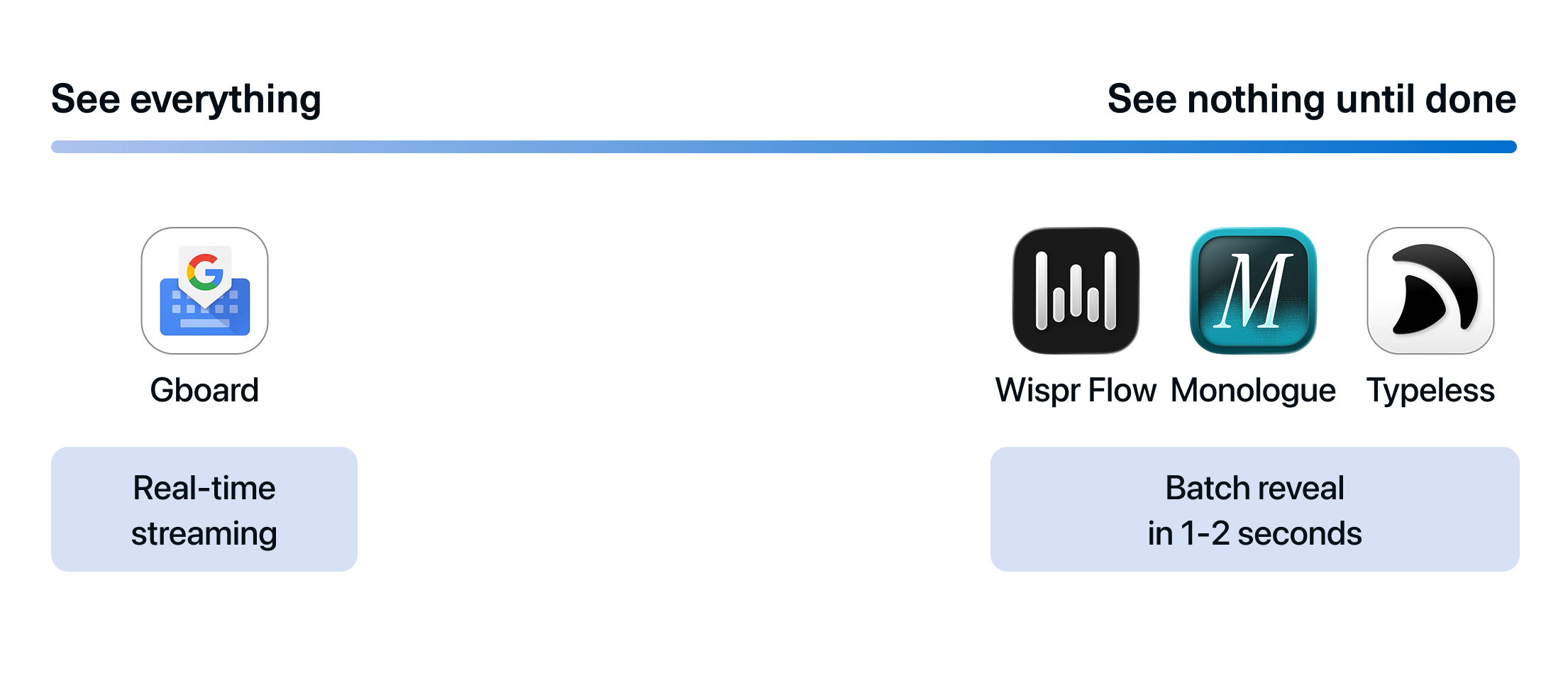
Verdict 👉 Real-time streaming and rewriting depth constrain each other. The more the AI rewrites, the less it can show in real time.
4. How do users fix what went wrong?
Every AI voice keyboard will get something wrong. How users fix it reveals what ‘voice keyboard’ actually means to each product.
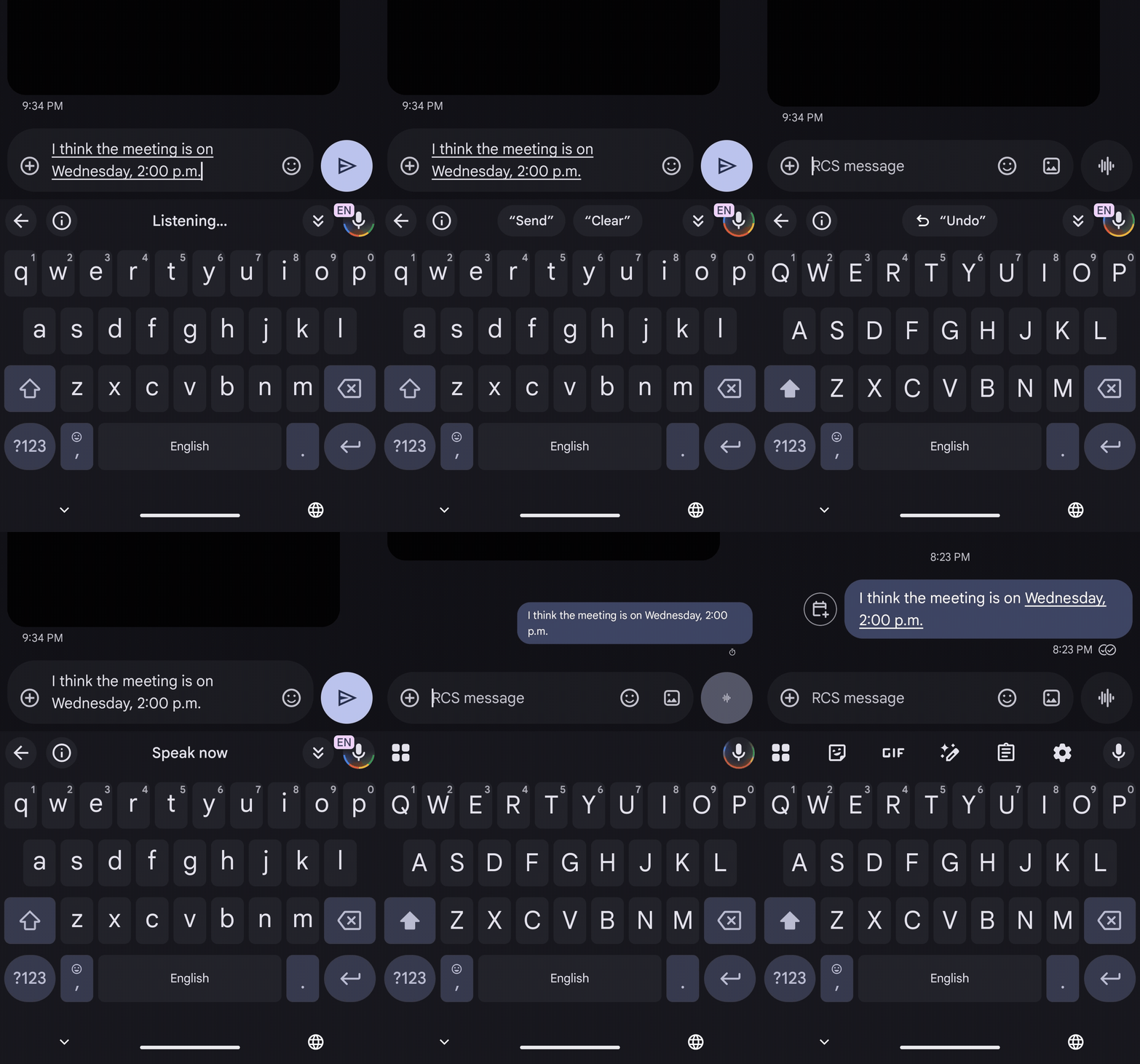
Gboard offers layered voice commands: “Delete,” “Clear,” “Send.” Smart Edit adds natural language editing (“Change ‘happy’ to ‘excited’ ”) and AI edit for rephrasing. The full keyboard is always there as backup.
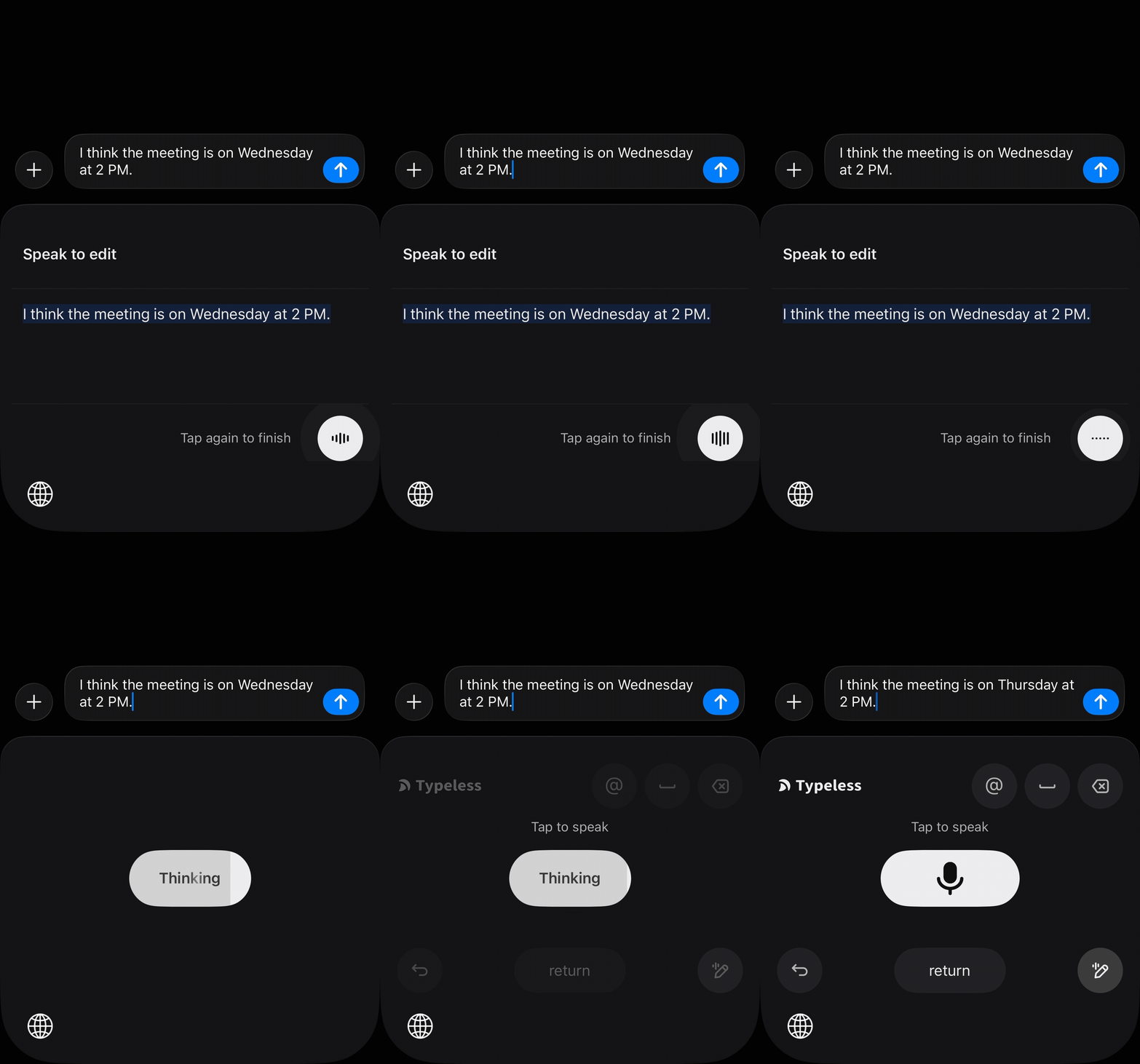
Typeless offers Speak to Edit. Say “change Wednesday to Thursday” or “make this more formal.” AI interprets intent and transforms the content. (Wispr Flow offers similar on desktop, but not on mobile.)
Monologue has no voice editing. If the AI gets it wrong, toggle to QWERTY or re-dictate.
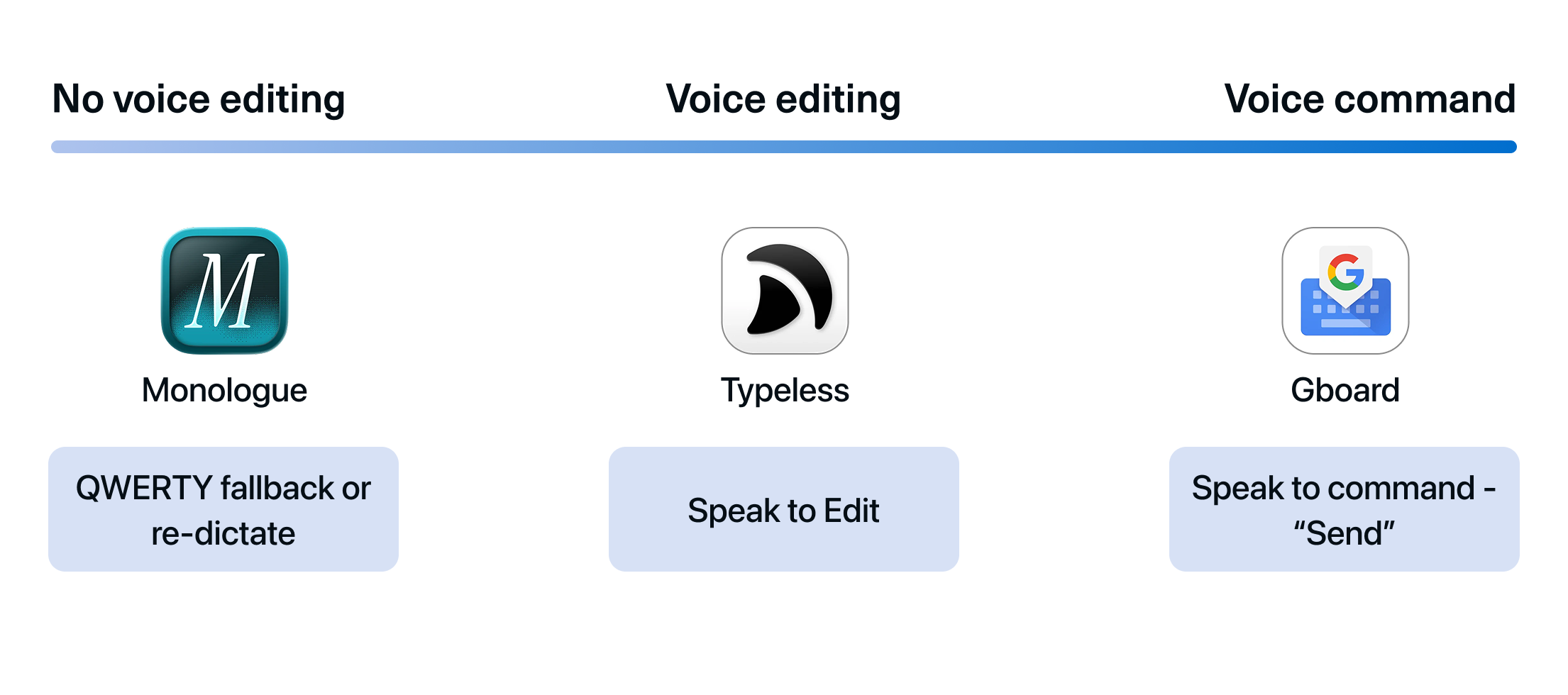
Verdict 👉 Some products think voice input means text entry. Others think it means the entire workflow.
Key UX takeaways
✅ Which keys they keep defines the product’s character. Removing the keyboard is a spectrum. Special characters are often easier to tap than say. Where to draw the line between voice and tap dictates the experience.
✅ Four questions, one bet. Keyboard layout, rewriting depth, streaming, voice editing: all shaped by one fundamental bet. Coherent products are consistent across all four.
✅ Voice editing and voice commands complete the experience. If users need a full keyboard to fix text, the voice-first promise breaks. Input, correction, and action all by voice: that’s a complete experience.
Questions worth asking about your own product
1️⃣ What new frictions does AI create in your users’ lives?
AI made daily life more text-heavy: more messages, more context, more communication to manage. The bottleneck was never typing speed. It was the sheer volume of text that daily life with AI now demands.
✅ Once AI enters your users’ lives, new problems emerge from that adoption. Are you building for those, or still solving yesterday’s problems?
2️⃣ What’s your “keyboard”?
Every product has one: the familiar interface no one questions anymore. The AI voice keyboard makers asked what the keyboard was for (inputting text), then found that AI's rewriting ability could do that job without it.
You don't have to remove your current interface. Gboard didn't, and that's a valid choice. But it's worth asking where your product should lie between Gboard and Typeless.
✅ Which parts of the current interface become unnecessary, and which become more important?
3️⃣ What happens when you remove it?
That removal is your bet. And like the voice keyboards showed, when you decide how much AI should own, that decision doesn’t stay in one place. It shapes what your interface looks like, how much AI processes behind the scenes, what users see while it’s working, and how they recover when it’s wrong.
✅ Is your bet showing up consistently across your product, or contradicting it in another?
All of these key UX takeaways and no discussion of accessibility? Because of a variety of cognitive and physiological (not to mention environmental) issues, there are users who don't/can't have spoken language capacity. If we're going to revolutionize our input interfaces, we need to also remember there are more centers and ways of being. We're marginalizing user types because designers can't or won't think past their own capabilities.
Hi there :)
I’m a UX designer :) Shall we connect? 😌