


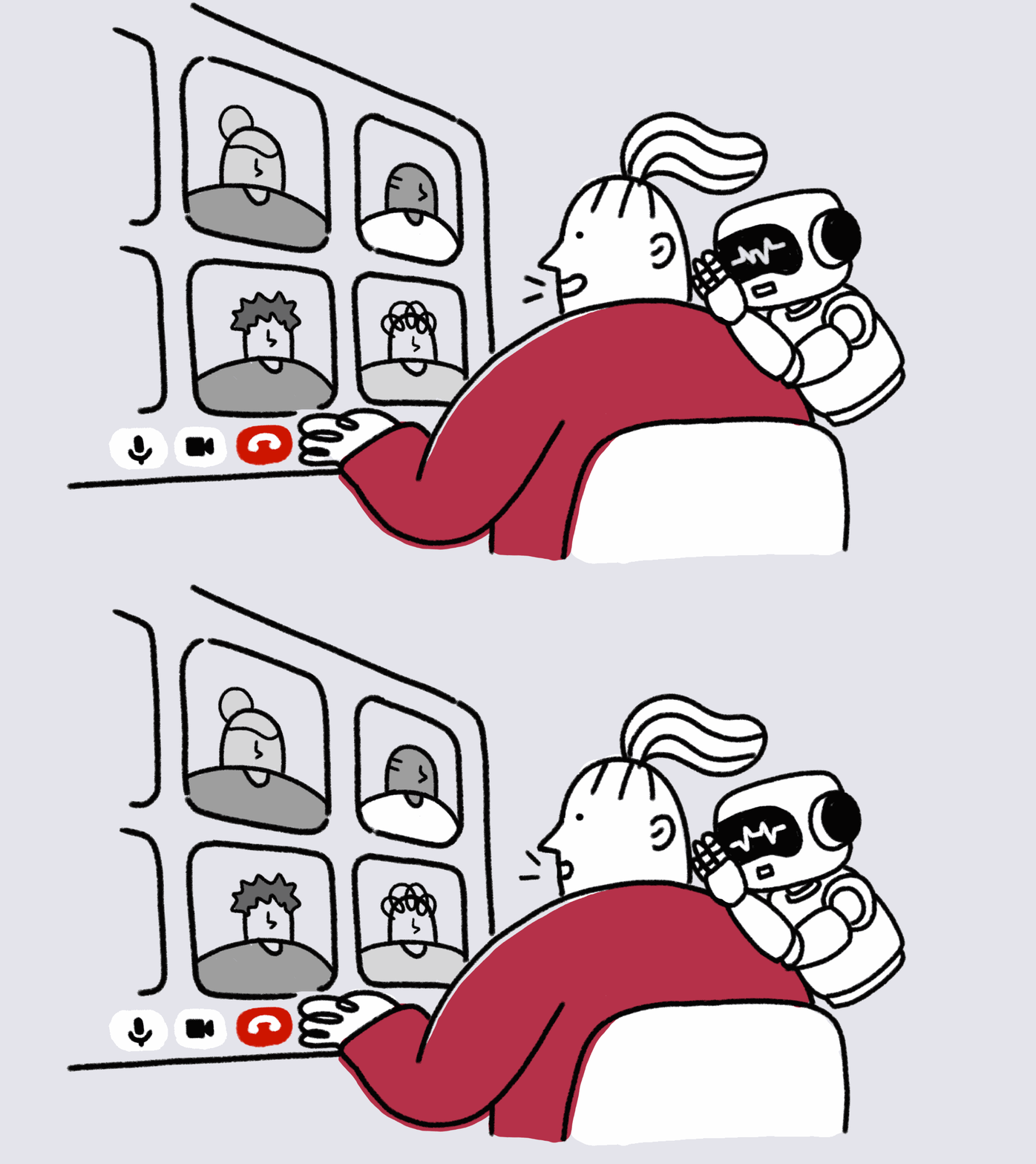
You’re in a meeting and just looked away to find a document. Someone asks a question. You catch your name, but miss what came before it. An AI summary after the meeting will be useful, but you need help getting back into the conversation during the meeting.
AI meeting tools increasingly address moments like this: catching you up, helping people align, suggesting what to ask next. Their work reaches into the meeting while people are still talking.
UX challenge: Every interaction with the AI uses attention that the conversation also needs.
How four AI meeting tools are tackling the challenge
Teams Facilitator, Zoom, Granola, and Wispr Flow Notetaker help at three moments of a meeting. None of them removes the attention cost. Each design makes the cost smaller, shares it with the group, or moves it to a different time.
Three key moments when users need AI help during a meeting
1. Help me catch up
The user looked away, and now they need to rejoin the discussion quickly.
Zoom’s In-Meeting Questions include “Catch me up” and “Was my name mentioned?”, and they cover discussion from before the user joined. Wispr Flow’s Notetaker offers a catch-up shortcut and a live transcript that users can scroll, skim, and search.
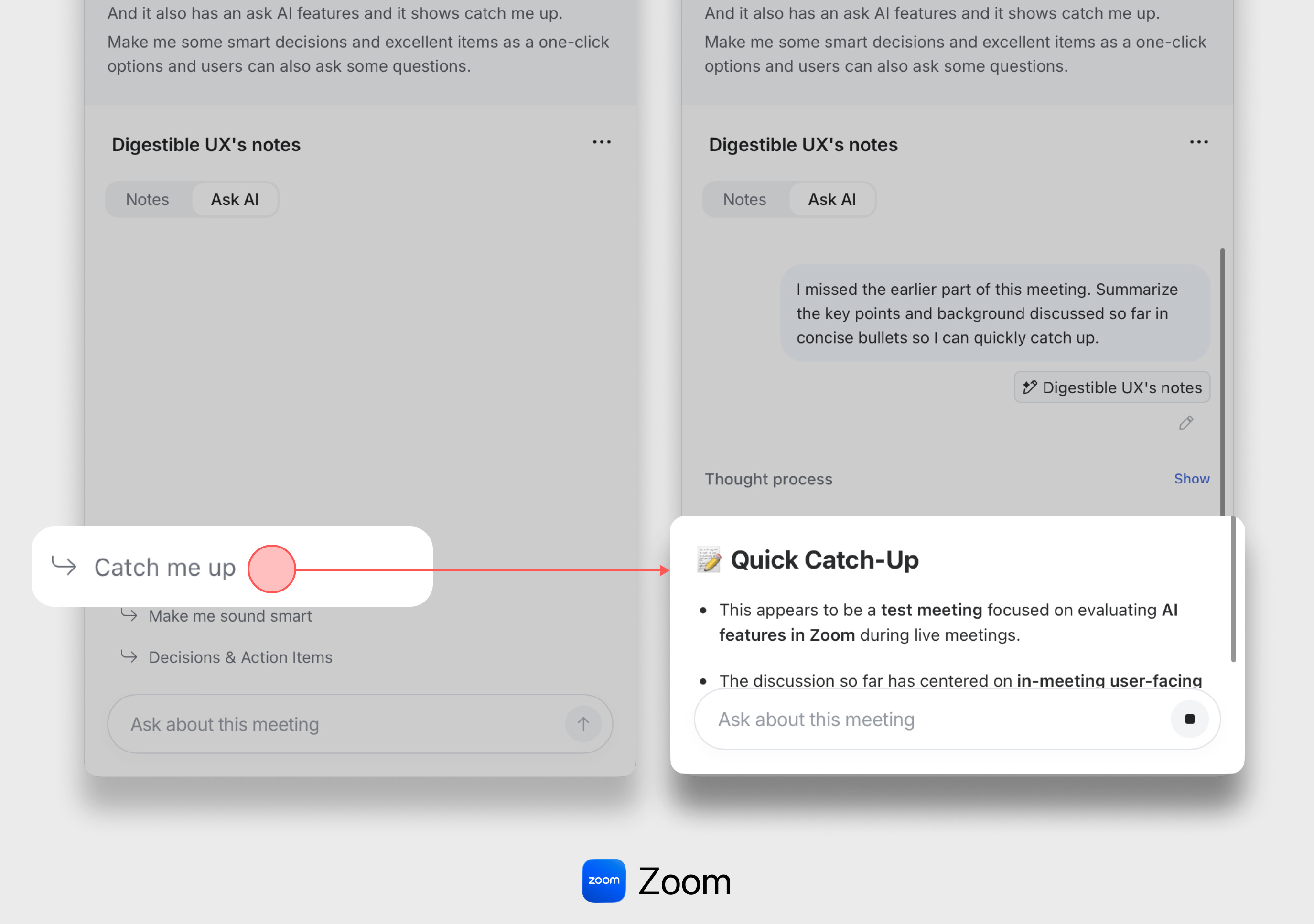
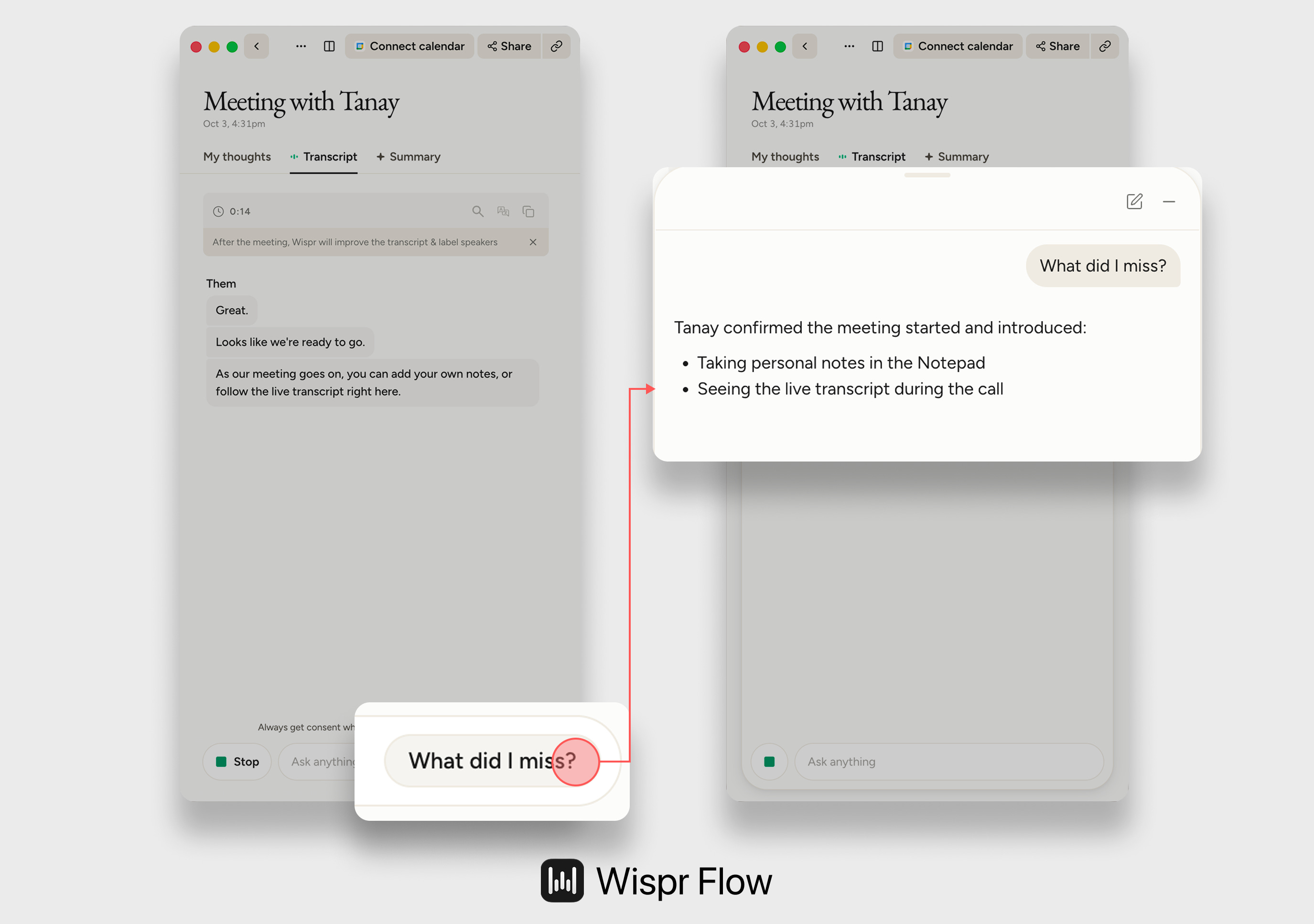
🔷 The attention cost is made smaller. With the short summary first, users can read it quickly and return to the meeting. The summary may leave out details, such as who said what. Users can open the live transcript for the exact words when they need them.
2. Help us align
The group needs to agree on what was decided and what comes next.
Teams Facilitator writes shared, editable notes during the meeting, capturing decisions and open questions. It also posts recaps, reminders, and answers in the meeting chat.
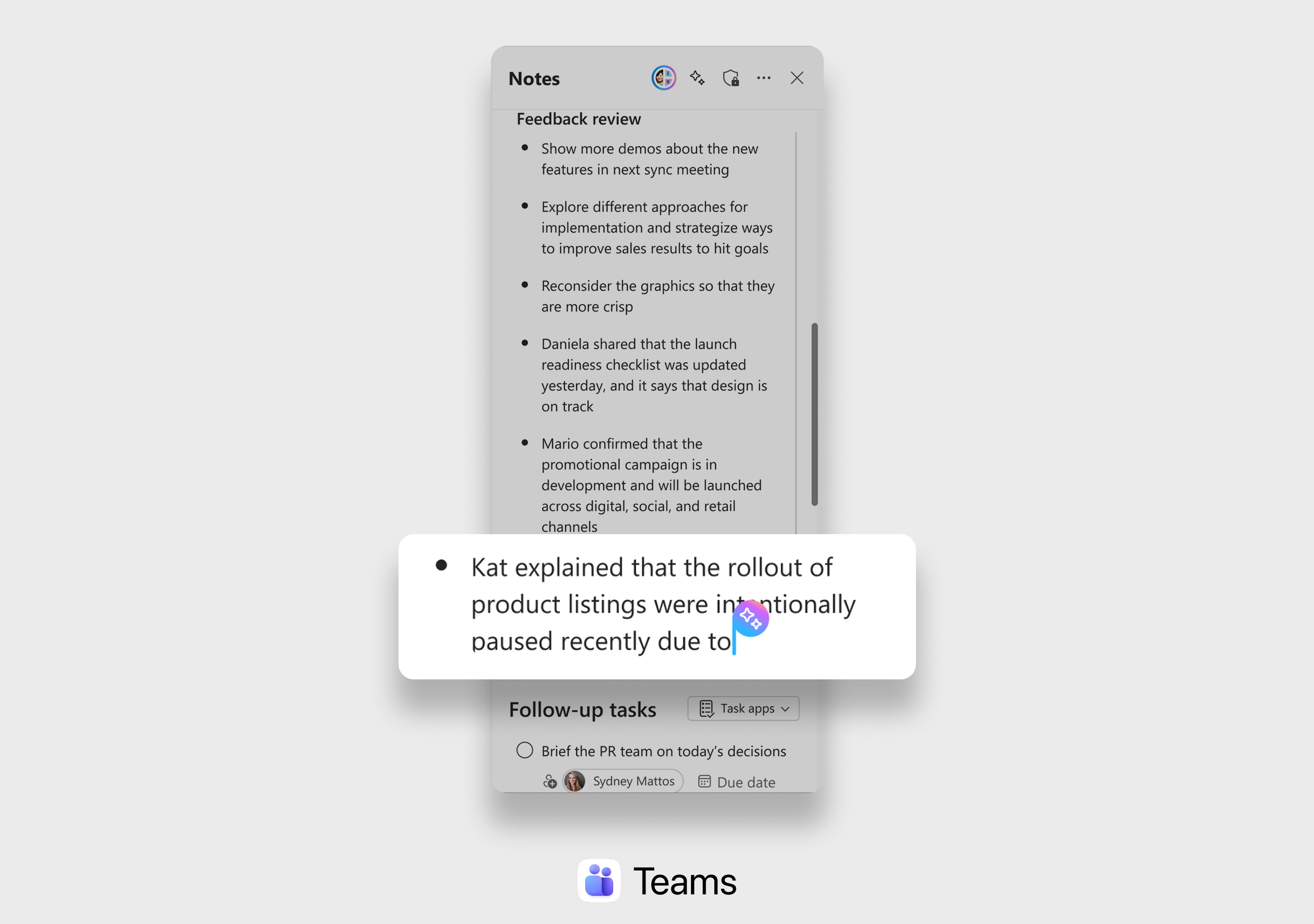
🔷 The attention cost is shared. Everyone sees the notes and the chat messages, so every participant spends some attention on reading them. If someone corrects the notes while another person is speaking, the whole group is partly distracted.
In return, participants no longer need to track decisions themselves. Once a decision is written where everyone can see it, they can check it with a glance and go back to listening. The group can also find misunderstandings before the meeting ends.
3. Help me contribute
The user wants to ask a good question or add something useful, without stopping to write a prompt.
Granola’s Recipes are reusable prompts users run with one click during the meeting, such as “Make me sound smart”, “Joke”, or targeted sales questions. Zoom offers similar one-click prompts, but Granola lets users write their own Recipes before the meeting.
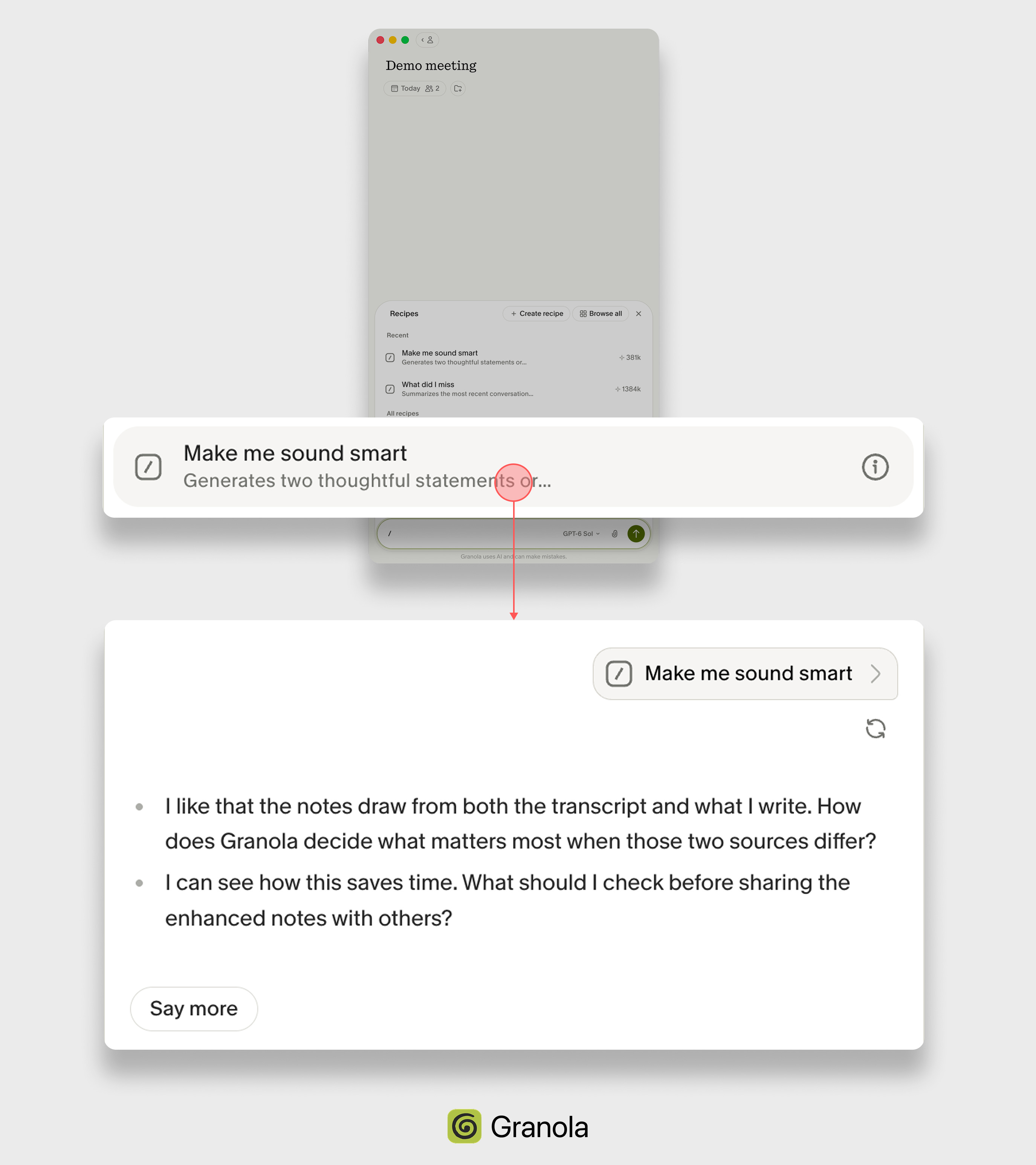
🔷 The attention cost is moved. Granola lets users prepare their custom prompts before the meeting, so asking during the meeting takes only one click.
However, the cost of using the answer remains. The user has to read it, decide whether it is good, and find the right moment to say it.
UX Takeaways - Design the whole attention cost
✅ Let AI take less attention when users are busy
Users are busiest in the middle of their work. Keep AI answers short and useful at these moments. Keep the details one step away.
✅ Move the cost of asking out of the busy moment
In the middle of work, even writing a prompt takes attention away from the work. Offer ready-made prompts for common needs and let users prepare their own beforehand.
✅ Count reading and checking as part of the interaction
AI interaction does not end when the answer appears. Consider the attention that comes after, as users still need to read the answer and decide if it is correct.
✅ Share the cost when the group benefits.
In shared spaces like docs, channels, and boards, an AI output costs the attention of everyone who sees it. Use shared AI output when helping the group align matters more than the distraction.
✅ Measure the net result, not AI usage
More use of AI is not always good. If users need extra corrections or ask AI to re-explain its own output, the feature may cost more attention than it saves.
Actionable questions for your AI products
👉 What gets interrupted when the user engages with your AI feature? Consider what they might miss or lose track of.
👉 What is the smallest useful answer for their next step? Decide what needs to appear first and what can wait.
👉 Is this output worth the group’s attention? Most AI features stay private by default. Share it when the group gains more than it spends.
👉 Does the help reduce the total attention the task needs? Watch for extra corrections, follow-up prompts, and context recovery.
💡
When AI steps in while work is still going, it uses attention from one person or from a group. Make sure it saves more than it uses.
Great insights! As AI makes content generation so much easier, it’s important to consider whether each interaction and each piece of information is worth the attention